![Symbol_transparent_black.png]](https://help.takeup.ai/hs-fs/hubfs/Symbol_transparent_black.png?height=50&name=Symbol_transparent_black.png)
Understanding Your Key KPIs
Your dashboard highlights four core KPIs that shape your revenue story. These are the numbers owners and managers turn to each day to understand how they are performing, and TakeUp makes them easy to read at a glance. Each KPI lives in its own performance card and instantly updates the large chart whenever you click on it.
Let’s walk through each one.
ADR
ADR, or Average Daily Rate, tells you the average price guests paid for a room during your selected dates. It shows the strength of your pricing and how well your rates are being accepted in the market.
Here is why ADR matters:
- It helps you understand rate health.
- It shows whether you are selling rooms at the right price.
- It tells you how your strategy compares to last year.
- It helps reveal rate pressure or rate opportunity.
What you will see in TakeUp:
Find ADR directly in your TakeUp Dashboard. (Note: It will default to Room Revenue.)
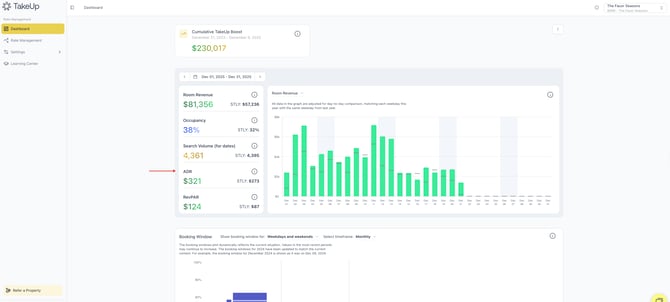
When you click on the ADR card, the chart becomes a clean line and bar view showing your daily ADR across the month. (You can also click the carrot menu to choose a KPI.) Last year’s ADR appears in a soft gray marker so you can compare performance day by day.

This lets you spot rate dips or rate highs with ease.
How to use it:
- Watch for days where ADR rises faster than occupancy. That usually shows strong demand.
- If ADR suddenly softens, it may be time to check comps, adjust deltas, or look at market signals.
- High ADR paired with strong occupancy is a sign of great pricing.
RevPAR, or Revenue per Available Room, blends your rate and your occupancy into one powerful metric. It shows the true earning power of your hotel.
Here is why RevPAR matters:
- It tells the whole story, not just rate or occupancy
- It helps you compare performance across different months
- It reveals how well your rooms are being filled and monetized
- Owners love this metric because it shows total efficiency
What you will see in TakeUp:
Find RevPAR directly in your TakeUp Dashboard. (Note: It will default to Room Revenue.)
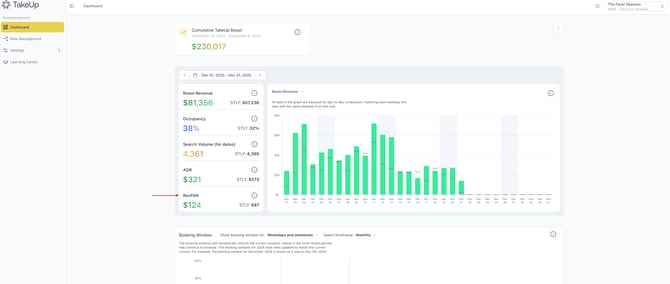
When you click on RevPAR, the chart updates to show your day by day RevPAR with last year’s markers layered in.

- Green bars show this year.
- Gray lines show last year.
It is one of the clearest ways to track total performance patterns.
How to use it:
- Use RevPAR when you want the full picture, especially during high demand periods.
- If ADR is up but RevPAR is flat, your occupancy may be slipping.
- If occupancy is up but RevPAR is soft, you may be underpricing.
- RevPAR helps you balance the two.
Occupancy tells you what percent of your rooms were sold. This is the simplest and most familiar KPI, but it plays a huge role in demand forecasting.
Here is why Occupancy matters:
- It shows how fast you are filling
- It helps you measure demand strength
- It shows your pacing compared to last year
- It maps out your natural booking rhythm
What you will see in TakeUp:
Find Occupancy directly in your TakeUp Dashboard. (Note: It will default to Room Revenue.)
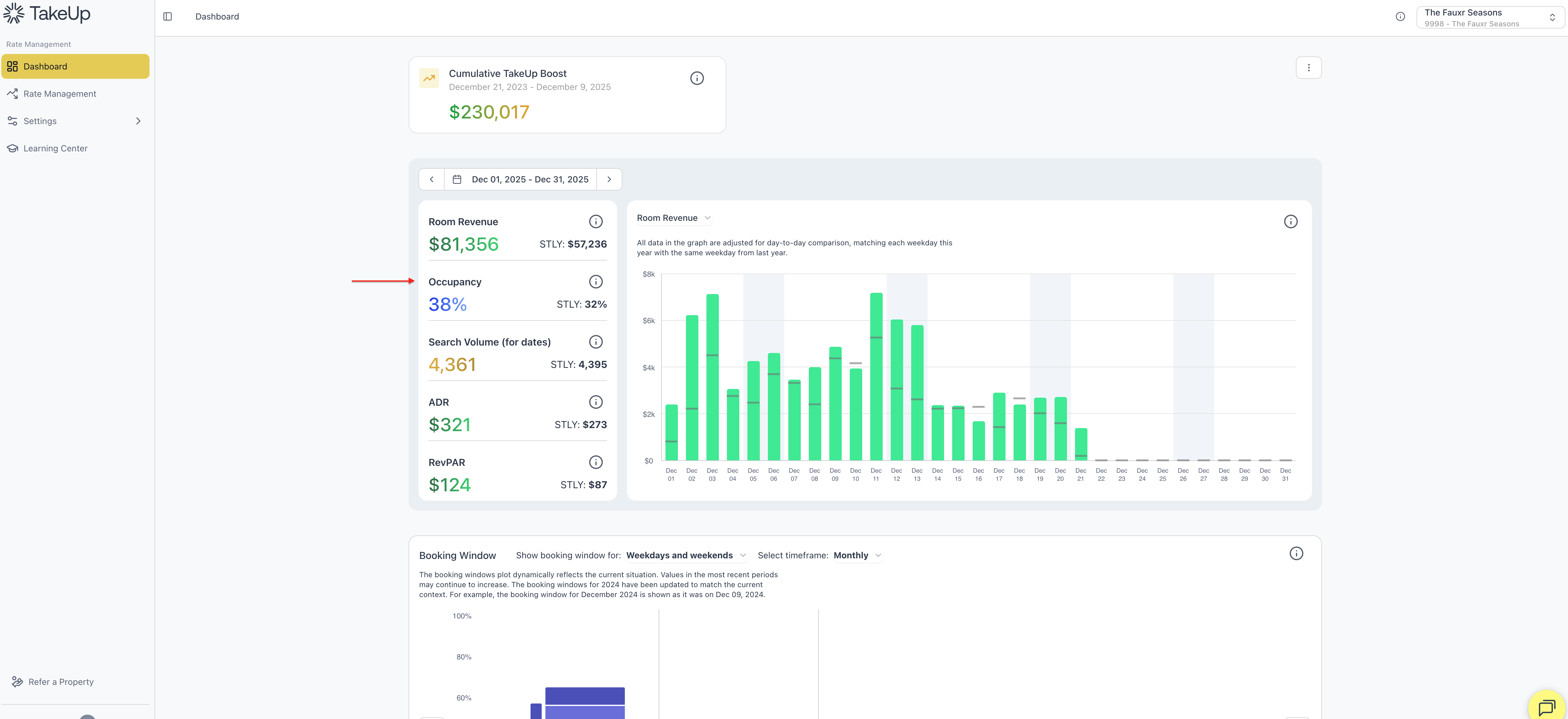
Clicking Occupancy changes the chart to soft purple bars representing your daily occupancy percentages.
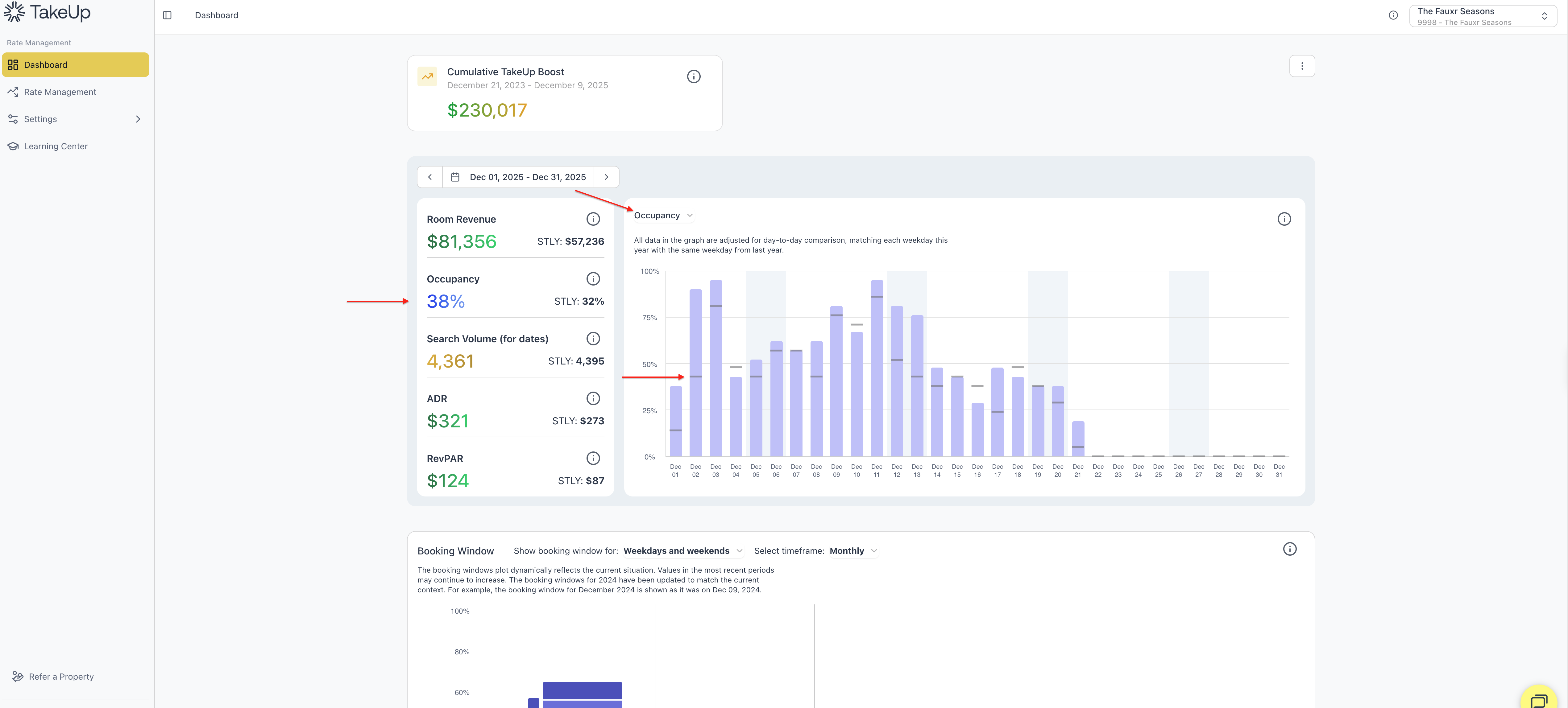
- Weekend shading helps highlight travel patterns.
- Last year’s occupancy appears in gentle gray markers for easy comparison.
How to use it:
- If occupancy is rising early, demand is strong and pricing can follow.
- If occupancy lags behind last year, check your comps, events, and search volume.
- Occupancy is often the first sign of a trend shift in traveler behavior.
Search Volume
Search Volume is one of your strongest leading indicators. It shows how many travelers are looking for stays at your property on or for specific dates. This is measured before bookings come in, so it acts like early warning radar.
Here is why Search Volume matters:
- It reveals demand before it hits your books
- It helps you understand how many guests are in the shopping phase
- It gives you insight into the health of future dates
- It helps you forecast event demand, holiday travel, and weekend trends
What you will see in TakeUp:
Find Search Volume directly in your TakeUp Dashboard. (Note: It will default to Room Revenue.)

When you click Search Volume, the chart becomes a golden yellow bar view showing daily search activity, which defaults to "Searches for dates."
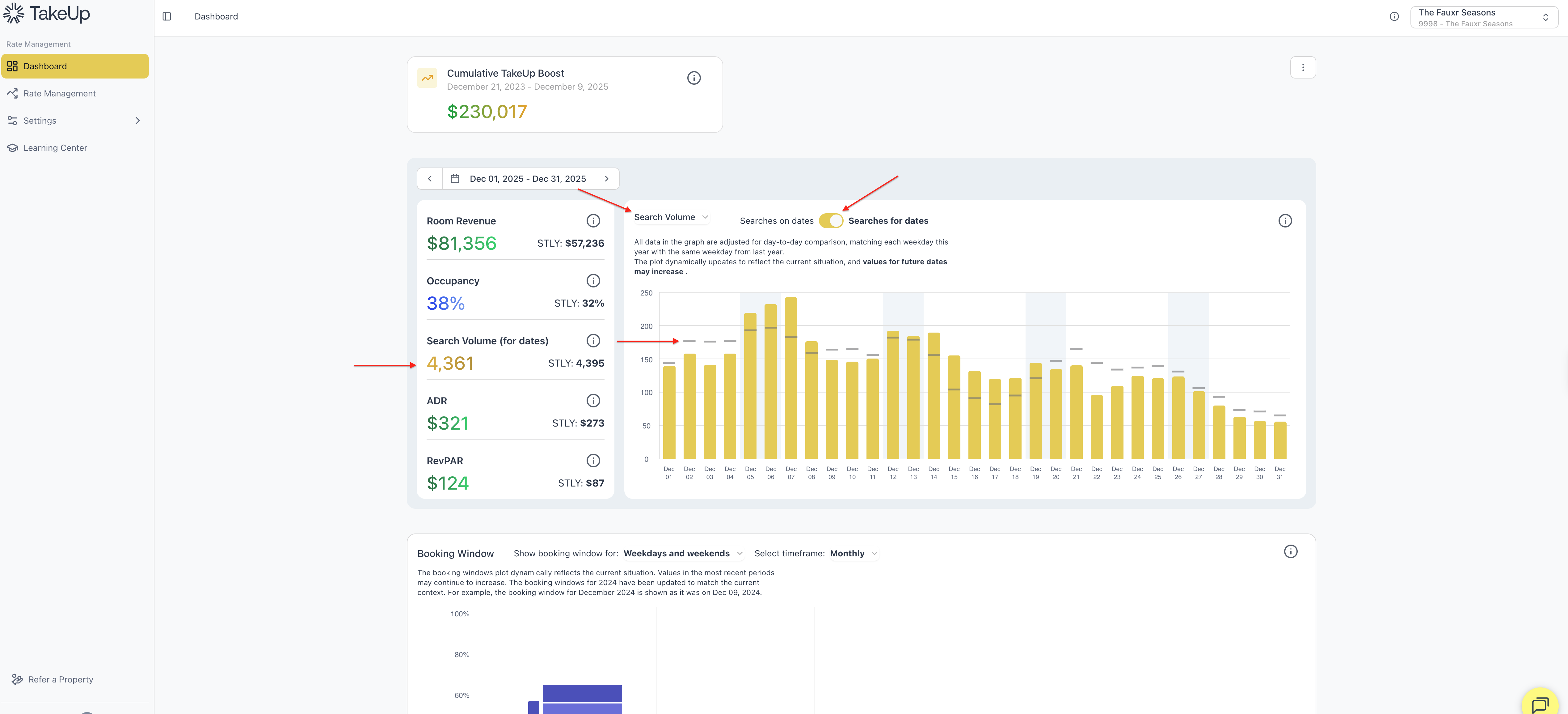
- Gold bars show this year.
- Gray lines show last year.
Note: You will only see a comparison to last year once you've been live with TakeUp for 12 months.
You will see two modes:
- Searches for dates: This shows how many total potential travelers are searching for specific occupancy dates at your property.
- Searches on dates: This shows how many potential travelers are searching for your property, for any occupancy date, on a specific date. "Searches on dates" will show data through yesterday's date.
- A toggle above the chart lets you switch between the two with one tap.
How to use Search Volume:
- Use rising search volume as a sign to raise rates early
- If search activity is dropping, it may be time to soften your approach
- Strong search volume with slow pick up can signal late booking behavior
- Watch it closely ahead of holidays, concerts, festivals, and school breaks
Search Volume is one of the most important tools for getting ahead instead of falling behind.