![Symbol_transparent_black.png]](https://help.takeup.ai/hs-fs/hubfs/Symbol_transparent_black.png?height=50&name=Symbol_transparent_black.png)
TakeUp helps you make sense of your numbers by showing how you are performing compared to the same period last year. This is called a period over period comparison, and it is one of the most helpful ways to see if you are growing, holding steady, or softening.
Every KPI on your dashboard includes this comparison. You will see your current value on the left and your same time last year (STLY) value on the right. This keeps everything easy to read without having to pull separate reports.
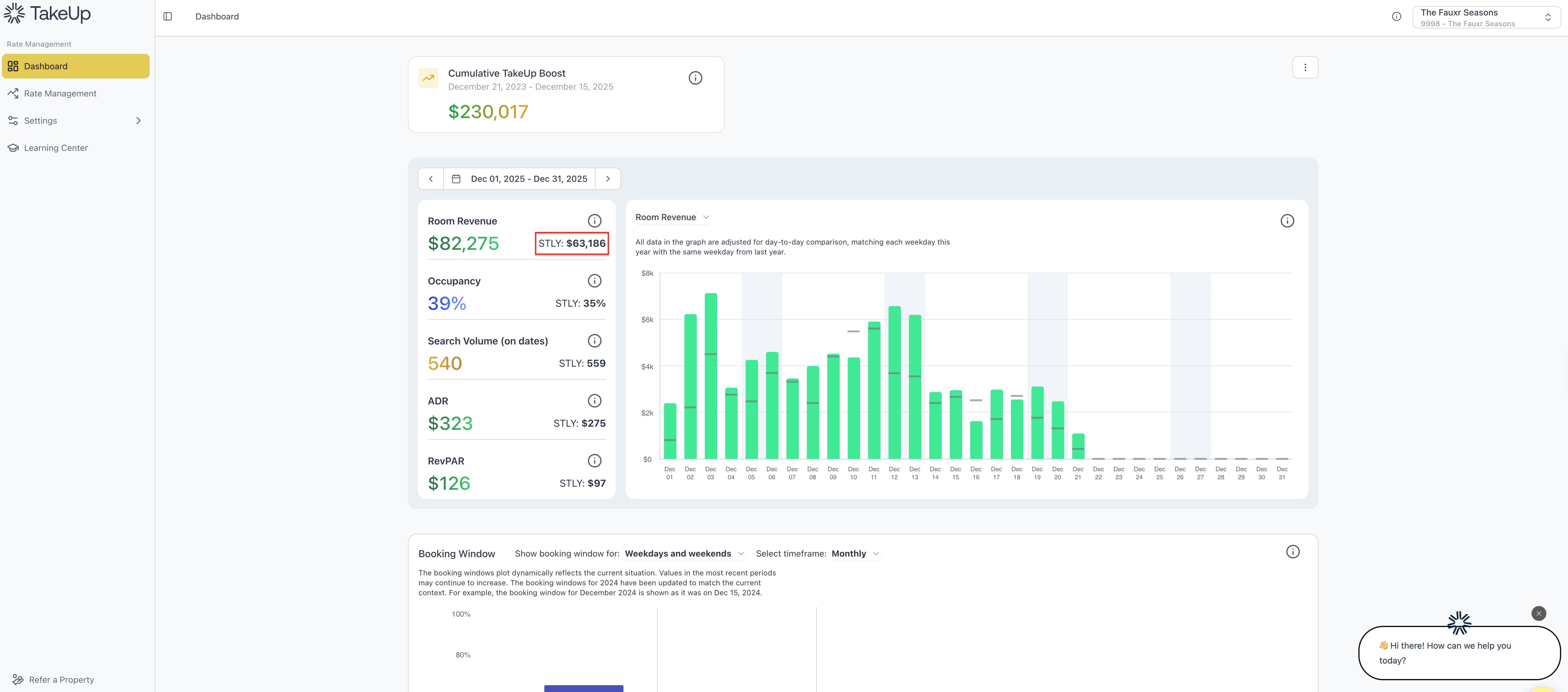
You can also see a percentage representation of the STLY comparison by hovering over the current year's metric number.
Why Period Over Period Matters
These comparisons are important because hotels follow natural rhythms. Weekends, weekdays, holidays, and school breaks all fall differently year to year. If you compared November 22 to November 22 without adjusting anything, it might look like a gain or loss simply because Thanksgiving fell earlier or later.
Period over period solves that by lining everything up in a fair way.
Here is what it helps you see:
- If you are pacing ahead or behind demand from last year
- How your pricing strength compares year to year
- Whether market conditions are stronger or softer
- How daily performance aligns with past travel patterns
This kind of comparison helps you make better, calmer decisions rather than reacting to artificial swings.
How TakeUp Creates True Apples to Apples Comparisons
TakeUp does not simply compare your dates by their number on the calendar. It compares each day to the matching weekday from last year.
For example:
- Monday in the current month will always be compared to Monday last year.
- Saturday will always match Saturday.
This protects you from misleading comparisons caused by holidays shifting or the calendar drifting. It creates a level playing field so you can see your real year over year performance.
Where You Will See It in the TakeUp WebApp
Period over period comparisons appear in two key places.
Performance Summary Cards
Each metric on your TakeUp Dashboard shows your current value on the left and your last year value on the right.
For instance:
- ADR with last year’s ADR beside it
- Occupancy with last year’s occupancy beside it
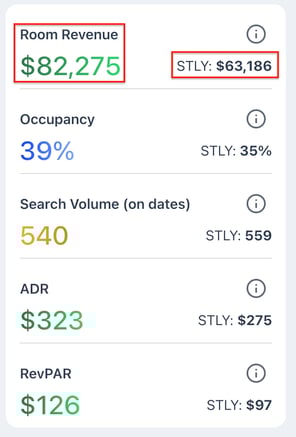
This makes skimming your performance incredibly easy.
Interactive Metric Charts
When you click on a performance card on your Dashboard, the large chart updates to show:
- This year’s values in colored bars
- Last year’s values in soft gray marker lines

You can see immediately if you are trending stronger or weaker.
Shaded weekends give you extra clarity because travel habits differ between weekdays and weekends. This makes patterns easier to recognize.
How to Use Period Over Period Data in Real Life
Here is how managers and owners use these comparisons every day.
When this year is above same time last year:
- You have stronger pricing power and growing demand
- You can lean into rates or hold firm on your strategy
When this year is below same time last year:
- It may be time to check pricing, adjust deltas, or look at broader market conditions
- Soft search volume or a slow booking window often explains the difference
When the pattern flips mid month:
- This often indicates a market trend shift
- A strong early month and soft late month can reveal fading demand
- A slow start with a strong finish can signal late booking behavior
These comparisons make it easy to understand the why behind your performance instead of guessing.